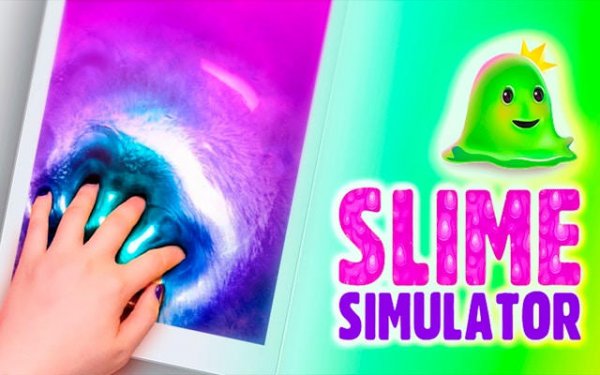
Slime Simulator offers a surprisingly deep creative experience with its variety of textures and decorations. The ASMR-like sounds add to the calming effect. I found myself experimenting with different color combinations and saving my favorite recipes. It is a great game for short relaxation breaks or longer creative sessions. The simple controls make it accessible for all ages.
Slime Simulator Online Creative Game brings the satisfying experience of slime-making to your screen without any mess or cleanup. This online creative sandbox game lets you explore a wide variety of slime types, from glossy and fluffy to butter and crunchy textures. You can mix vibrant colors from a large palette to create your perfect shade, then personalize your creation with decorations like glitter, foam beads, charms, and sequins. The intuitive controls focus on the tactile pleasure of stretching, poking, and shaping your digital slime, offering a relaxing and satisfying activity. Whether you are a beginner or a seasoned enthusiast, this game provides a wholesome creative outlet for the whole family.
Getting started is easy. First, select your favorite base slime type from the extensive library. Then, use the color mixer to blend primary colors and craft your ideal shade. Next, visit the decoration station to add personality with glitter, beads, or small toys. Once your slime is ready, the main play area opens up where you can stretch, fold, and poke your creation while enjoying satisfying ASMR-like sounds. You can save your favorite recipes to recreate later or start fresh with a new idea every time. The game encourages experimentation, allowing you to discover new textures and visual combinations at your own pace.
Extensive slime library with multiple texture types. Unlimited color customization using a simple mixing system. Creative decorations including glitter, foam beads, charms, and sequins. Intuitive and relaxing gameplay with ASMR-like sound effects. Suitable for players of all ages and skill levels.
Experiment with different base slime types to discover which texture you enjoy most. Try mixing colors in small amounts first to achieve your desired shade. Combine various decorations to create unique visual effects. Save your favorite recipes so you can easily recreate them later. Take your time exploring each step, as the game is designed for relaxation and creativity rather than speed or competition.

Clean puzzles with fun truck images. Easy controls and good difficulty options. Perfect for a short break.

Great mix of classic Mario levels with iconic characters. Simple controls and lots of content.
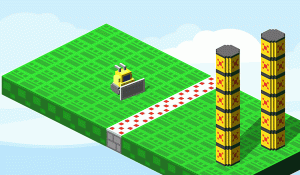
Clean design and smooth controls. A fun puzzle game that challenges your planning skills.

Clean visuals and responsive taps. A solid memory trainer for short sessions.

Simple yet challenging. Great for quick mental breaks. Clean design and smooth controls.

Clean design and smooth gameplay. Great for short breaks.

Simple drawing and coloring with a fun chase. Great for young Scooby-Doo fans who enjoy creativity.

Fast and addictive matching game. Great for quick sessions. Improves focus and reflexes.
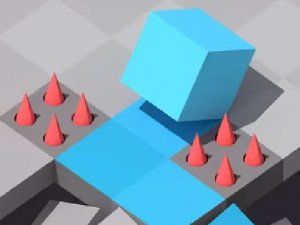
Clean isometric design and smooth controls. Great for quick breaks and casual play.

Simple dress up game with many outfit options. Great for creative girls who love fashion.