
● REVIEWS
Sunny Shore Style Creator offers a straightforward, stress-free way to experiment with beach fashion. The interface is clean and responsive, working equally well on a phone or computer. The wardrobe includes enough variety in colors and patterns to keep sessions interesting, though the lack of a save function means you cannot revisit past creations. It is a solid choice for casual players who enjoy visual creativity without complexity.
● ABOUT THIS GAME
Outfit Building Basics
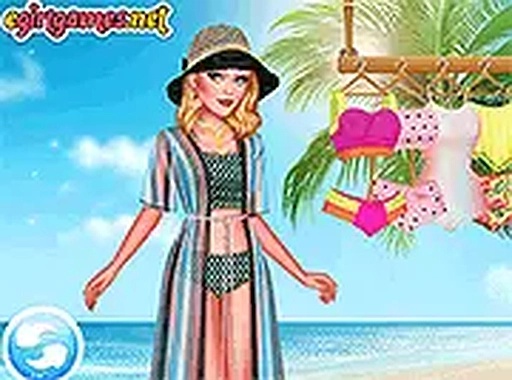
Sunny Shore Style Creator puts you in charge of assembling complete looks from a varied selection of clothing pieces. You begin by picking a base character, then browse through categories like tops, bottoms, footwear, and extras. Each item can be swapped instantly, letting you see how different combinations work together. The interface is straightforward, with clear icons and a simple drag-and-tap system that works well on both phones and computers.
Color Coordination & Patterns
A key part of the experience involves experimenting with colors and patterns. The wardrobe includes solids, stripes, florals, and geometric prints across a broad spectrum of shades. You might pair a bright patterned top with neutral bottoms, or go for a monochrome look from head to toe. The game encourages trying unusual pairings, as there are no wrong answers—only personal preference.
Accessory Selection
Beyond main clothing items, the game offers a range of extras that can change the feel of an outfit. Sunglasses, hats, bags, and jewelry pieces are available to add personality. Choosing a wide-brimmed hat versus a baseball cap, or selecting hoop earrings instead of studs, alters the overall impression. These small choices let you refine a look until it matches your vision.
Presentation & Display
Once you finish an outfit, the game shows your creation on the character in a full-body view. You can rotate the view to see the outfit from different angles. A full-screen mode is available for a larger display, which helps when checking details like pattern alignment or accessory placement. The clean background keeps the focus on the clothing.
Platform & Accessibility
Sunny Shore Style Creator runs directly in a web browser without any downloads or account creation. It works on desktop computers, tablets, and mobile phones, adapting to different screen sizes. The content is suitable for all ages, with no mature themes or complex mechanics. This makes it a good choice for quick creative sessions during a break or while traveling.
COMMENTS
0 comments