Arcade

Mario Classic Collection Platformer

Platform Retro Family
Developer: Dawnlight Interactive
Published: 2025-05-20
Updated: 2026-07-04

Player review

Mario Classic Collection brings five iconic platforming episodes to your browser with accurate emulation and smooth performance. The ability to save progress at any time is a welcome addition for modern players. Each episode offers distinct mechanics, from world maps to secret exits, ensuring variety. The controls are responsive and customizable. This is a must-play for anyone who enjoys classic platformers.

Game info

Game Introduction

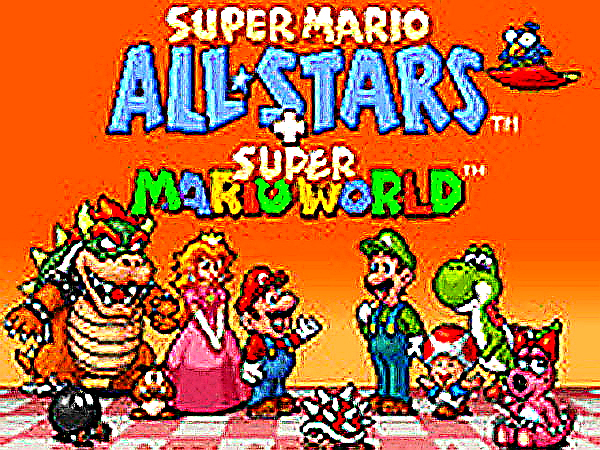
Mario Classic Collection is a browser-based compilation of five classic platforming adventures originally released on the Super Nintendo Entertainment System. Players control Mario as he jumps across colorful levels, overcomes familiar enemies like Goombas and Koopa Troopas, and works to rescue Princess Peach. This collection is designed for retro gaming enthusiasts and newcomers alike, offering faithful emulation that preserves the original graphics, physics, and level designs. The game requires no downloads and runs directly in a web browser, making it accessible on many devices. Each episode offers unique mechanics, such as world map exploration and secret exits, providing variety across the collection.

How to Play

Players control Mario using a keyboard. Arrow keys move Mario left and right and allow him to jump. Additional keys correspond to classic SNES buttons: one button is used for running or throwing fireballs, another for jumping, and extra buttons provide controls for later episodes. The goal in each level is to reach the flagpole at the end, avoiding enemies and pitfalls along the way. Players can select different games from the main menu and save their progress at any time to continue later. Fullscreen mode is available for a more immersive view.

Game Features

This compilation includes five complete Mario platforming episodes, each with unique mechanics such as world map exploration and secret exits. It features accurate ROM emulation for authentic gameplay. Players can save their progress at any time and return later. The game supports fullscreen mode and customizable keyboard controls. No downloads are required—the game runs instantly in a web browser.

Tips for Success

Practice each episode's unique mechanics, such as the world map in Super Mario 3 and the secret exits in Super Mario World. Learn enemy patterns and level layouts to avoid common pitfalls. Use the save feature frequently to preserve progress, especially before challenging sections. Experiment with power-ups like Super Mushrooms and Fire Flowers to gain advantages. Playing in fullscreen mode can improve visibility and reaction time.

Compatibility

Play on Any Device | Chrome / Safari / Edge Recommended
FAQ
Can I play Mario Classic Collection on my phone or tablet?
The game is designed to run in a web browser on many devices. While keyboard controls are standard, some mobile browsers may support touch input. For the best experience, a device with a physical keyboard is recommended.
Does the game include multiplayer or co-op modes?
The original episodes were primarily single-player experiences. This compilation focuses on the classic solo platforming adventure. Some episodes may have offered a two-player alternating mode, but that is not confirmed for this version.
Are there any in-game purchases or ads?
The game is presented as a free-to-play browser experience. There are no in-game purchases required to access any content. Ads may be present to support the service, but they do not interrupt gameplay.
How do I switch between the five different episodes?
From the main menu, you can select any of the five included episodes. Each episode is a separate game world with its own levels and mechanics. The menu allows you to choose which adventure to start or continue.
What should I do if the game runs slowly or has lag?
Ensure your browser is up to date and close other tabs or applications that may use resources. The game is optimized for modern browsers. If issues persist, try lowering the browser's zoom level or enabling hardware acceleration.
Is there a way to reset my saved progress?
Yes, you can typically delete saved data through your browser's storage settings. Look for options to clear site data or local storage for the game's domain. This will reset all progress and allow you to start fresh.
Advertisement

Similar Titles